Key Takeaways
- You know you are outgrowing spreadsheets when a simple tracking document suddenly becomes the backbone of your daily operations.
- Your team will start to lose hidden hours checking, updating and fixing multiple versions of the same data.
- Scaling comfortably requires a shift from static files into connected systems so that information flows without constant manual input.
How do you know when your business is outgrowing spreadsheets?
Do you still rely on spreadsheets to run core parts of your business? For many organisations, outgrowing spreadsheets is a natural sign of progress. They are flexible, familiar and easy to use. A quick way to organise information, track activity or bridge a gap between different systems. Which works fine to begin with.
As the business begins to grow, so does the reliance on spreadsheets. More customers, more projects, more moving parts. What started out as a simple way to manage information gradually becomes something much more central to how the business operates.
You might find spreadsheets being used to track opportunities, manage projects, record financial data or coordinate activity between teams. It is a familiar pattern – one we see consistently, having worked with over 40 SMEs across more than 10 sectors and delivered enterprise infrastructure programmes across dozens of production sites.
At that point, it becomes worth asking the question.
Are the spreadsheets supporting the business, or is the business starting to rely on them too heavily?

Efficiency Signs You Are Outgrowing Spreadsheets
Spreadsheets are incredibly useful because they can be shaped around almost any requirement, which is exactly why they tend to become so widely used across a growing business. A new column gets added to track something important, another tab appears to manage a different part of the process, and before long someone has created a version that works slightly better for their role. Over time, what started as a simple document begins to evolve into something far more central.
As more people begin to use it, the spreadsheet often becomes a shared point of reference across the business, with different teams relying on it for different reasons and each adding to it in a way that makes sense from their perspective. That is usually the point where things start to feel a little less efficient. You may notice multiple versions of the same spreadsheet appearing, or information being updated in one place but not another, with teams checking back and forth to confirm which version is actually correct. The spreadsheet is still doing its job, but it is now carrying more responsibility than it was ever really designed for.
A Forrester Consulting report found that 88% of organisations rely on more than 100 complex, customised spreadsheets for critical processes, with 59% using over 1,000.
The Hidden Time Lost When Outgrowing Spreadsheets
As the spreadsheet becomes more central to the way the business operates, small moments begin to appear throughout the day, often without really being noticed at first. Someone checks a figure before sending it on, a team member confirms an update with a colleague to make sure it is current, or information is copied from one place to another to keep everything aligned. Each of these moments feels small and insignificant on its own, but over time they begin to add up.
The time spent checking, updating and reconciling information gradually increases. Insights into connected data ecosystems highlight how much time organisations lose when information remains in disconnected systems instead of being structured to flow. Simple tasks start to take a little longer than before, and questions that should have straightforward answers require a few extra steps before there is real confidence in the data. You may start to notice that more effort is going into maintaining the spreadsheet than actually benefiting from it, and while the spreadsheet is still working, the business itself has started to work around it rather than with it.
Why Growing Businesses Outgrow Spreadsheets
Spreadsheets were never designed to operate as the backbone of a growing business. But how many of you can relate to a spreadsheet that is holding up the business? They are flexible by nature, which is exactly what makes them so useful in the early stages. They adapt quickly, they solve immediate problems and they help teams move forward. As the business grows though, the customer journeys become more detailed, projects involve more stages and more people and information needs to move reliably between different parts of the business.
The question is no longer how to manage information in a spreadsheet, it becomes how information moves across the business. Spreadsheets tend to sit in one place. They rely on people to update them, share them and keep them aligned with everything else that is happening. When growing businesses outgrow spreadsheets, they begin to look for something different.
- A way for systems to connect.
- A way for information to flow.
- A way for processes to run without constant manual input.
That is usually the moment where the process has outgrown the tool.
The Risks That Only Show Up Later
Have you ever had a spreadsheet stop working for no obvious reason? A formula suddenly returns the wrong number, or a report doesn’t reconcile the way it did the week before, so you start digging into it and realise a file has been moved, renamed or deleted. It might be as simple as someone reorganising a folder, or a linked spreadsheet no longer sitting where it used to. Spreadsheets begin to reference other spreadsheets, files sit across shared drives, and different versions end up saved in different places, all of which works perfectly well until something small changes.
Everything works – until it doesn’t, and when parts of the business rely on those spreadsheets, the impact can be far greater than expected. Time, effort and even missed opportunities can end up being pulled into fixing something that was never meant to break in the first place. Recent academic evidence on spreadsheet-centric SMEs shows how easily unmanaged files lead to operational errors, with some single mistakes causing significant financial risk because the logic is difficult to audit as the business scales.
Moving Beyond the Spreadsheet Backbone
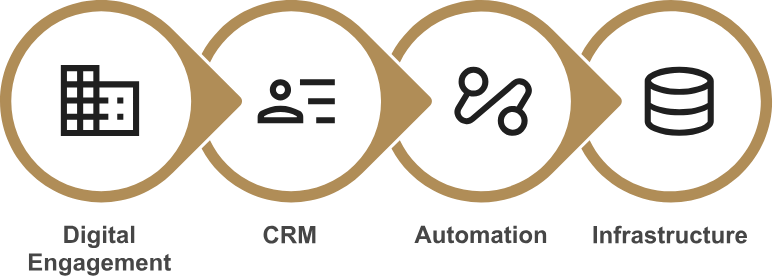
At some point, most growing businesses start to look at this differently, because spreadsheets stop being the right place to run the business from. You’ll often see a shift happen as Customer information moves into a CRM system so that opportunities can be tracked in one place, while projects are managed in more detail across multiple resources using a structured operational system rather than a file. Research by Validity found that 44% of businesses estimate they lose over 10% of annual revenue due to poor data quality, with manual cleanup described as the most common response – and one that does not scale.
Change is usually the biggest challenge, as teams have become comfortable with the tools they know, and learning a new system or a different way of working isn’t always something people naturally want to do. Spreadsheets don’t disappear, but they do need to stop being the centre of everything.
Once that shift is made, and over time it will be, things begin to feel different, with less checking, less duplication, more confidence in the numbers, and a much clearer view of what is actually happening. This is often the point where a business begins to develop real operational structural maturity by finally outgrowing spreadsheets.

Frequently Asked Questions
How do you know when growing businesses outgrow spreadsheets?
When your spreadsheets shift from being helpful ad hoc tools to the core structure of your operations, it is a clear warning sign. You will likely see multiple people editing the same file and regular version confusion. At this stage, your business needs connected systems to move information without constant manual input.
What are the hidden risks of running key operations in spreadsheets?
The main risks involve version-control issues, broken links and missing audit trails. Microsoft outlines specific limits on co-authoring and concurrency when using older shared workbooks. Over time, these limitations lead to fragmented processes that inevitably slow your team down.
What should replace a spreadsheet for managing customer data?
If the main problem involves tracking leads and client follow-ups, a CRM system is normally a smart first step. It provides a central source of truth rather than relying on scattered manual file updates. Broader business processes might require a connected operational system to logically handle the surrounding workflows.
Can we still use spreadsheets after moving to a new system?
Yes, they remain very helpful for one-off tasks and ad hoc modeling. However, they should stop acting as your primary operational database. Microsoft specifies that Excel has definite built-in limits, making it much better suited for stand-alone analysis rather than multi-user control at scale.
What is the safest way to plan a migration off our existing workbooks?
It is best to avoid rebuilding your entire operational structure at once. Start by identifying the single most problematic workbook and clearly defining its underlying workflow. From there, you can move that specific process into a structured system with careful automation and clear access controls.