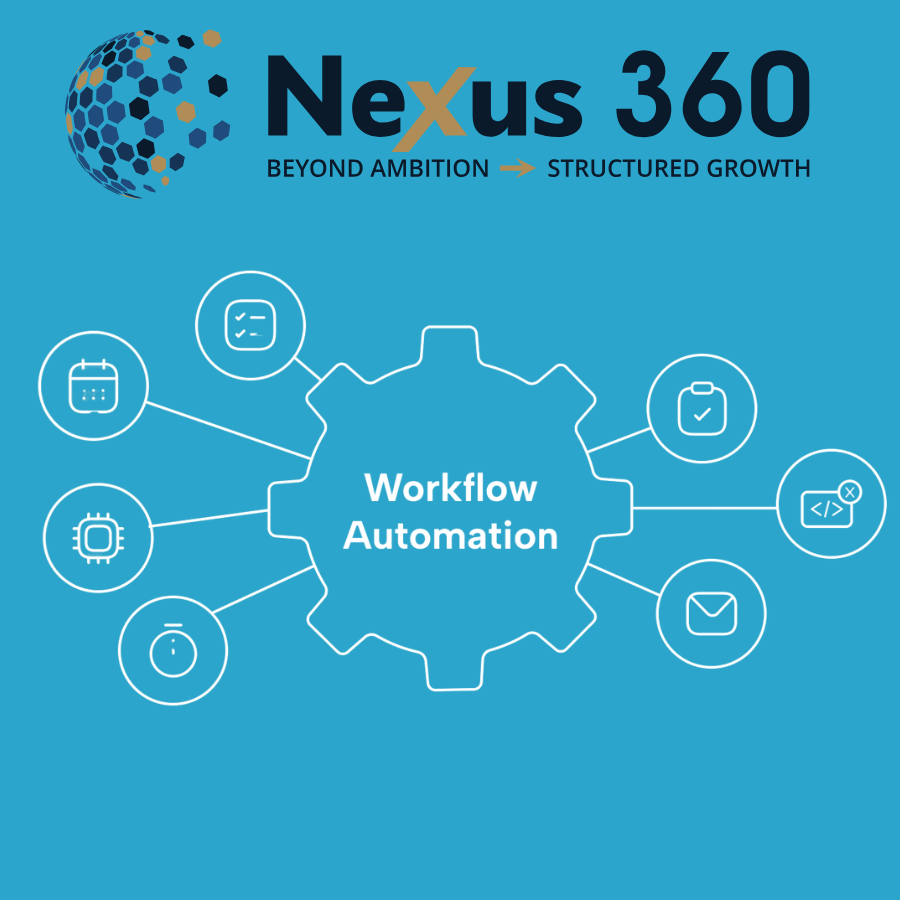
A process is what you need to do, but a workflow is exactly how you execute it. When growing businesses scale, the execution often breaks down into manual bottlenecks and founder dependency. Workflow automation connects disparate systems so work moves forward without constant manual effort.
At Nexus 360, we apply 25 years of enterprise delivery experience to help SMEs build operational infrastructure that works. We see many business owners assume automation just means connecting two apps to send an email. True automation requires a structured approach to design systems that run reliably.
Our work with businesses across Sheffield, Rotherham, Nottingham and the wider UK shows that bridging the gap between ambition and operational reality requires more than just buying software. It requires a fundamental shift in how work gets done.
The difference between a process and a workflow
Before investing in software, you must separate the objective from the execution. Define a process as the what you need to do, while a workflow is the how you are going to do it. A process outlines the business requirement. For example, capturing a new lead, qualifying their budget, and assigning them to a sales representative is a process. The workflow is the specific sequence of actions, triggers, and data transfers that makes it happen across your platforms.
When you map the workflow, you identify the exact systems involved, such as your CRM, email platform, and billing software. By defining the how, you create a blueprint for automation. This allows you to remove manual data entry and ensure the right things happen automatically, every time.
Without a mapped workflow, businesses often end up with fragmented tools that do not communicate. This leads to data silos where the sales team uses one system and the finance team uses another. Transitioning from manual execution to automated workflows requires understanding the tools available today and how they connect your entire operation.
Moving from rule-based logic to AI-powered workflow automation
The tools used to connect systems have changed rapidly over the last five years. Early platforms relied entirely on strict rule-based logic. This approach uses simple WHEN and DO commands. If a customer fills out a form, then the system sends a welcome email. Platforms like Zapier made this accessible to non-technical users. In fact, Slack reports that 80 percent of the people who build Slack workflows do not have technical backgrounds. Visual builders like Make have expanded this platforms, offering over 3,000 pre-built app integrations to connect almost any cloud software.
Now, the market is shifting toward AI-powered workflow automation. Instead of rigid rules, modern platforms use artificial intelligence to make contextual decisions. Tools like n8n allow engineers to build multi-agent setups with human in the loop approvals, bridging the gap between visual builders and code-based environments. Zoho Flow uses an AI assistant named Zia to generate integration sequences from plain English text.
This hybrid approach means systems can read an incoming support ticket, determine the customer sentiment, extract key data points, and route it to the correct department without a human reading the initial message. Understanding these capabilities helps you choose the right platform for specific departments and ensures your technology can scale as your business grows.
Automating the CRM and client journey
Customer relationship management is often the first area where SMEs feel the pain of manual processes. A CRM should be the central nervous system of your sales process, but it only works if the data is accurate and up to date. When sales representatives have to manually log calls, update deal stages, and send follow-up emails, they spend less time actually selling.
By applying automation to your CRM and client journey, you ensure that every lead is tracked, nurtured, and followed up at the right time. For example, when a prospect downloads a resource from your website, the system can automatically add them to a specific pipeline stage, assign a task to a sales agent, and trigger a sequence of educational emails.
At Nexus 360, we build these systems to operate seamlessly. We use platforms that unify your marketing and sales efforts, ensuring no opportunity falls through the cracks. This level of digital engagement keeps your brand in front of prospects without requiring daily manual intervention from your team. To see the full financial impact, you must look beyond sales and examine other departments.
Departmental use cases that drive commercial outcomes
Generic automation examples don’t help business owners understand the commercial value of these systems. To see real efficiency gains, you must look at specific departmental workflows and how they impact the bottom line.
In IT operations, employee onboarding is a common bottleneck. An automated sequence can provision software licenses, create email accounts, and assign hardware assets the moment HR updates the employee database. This eliminates days of waiting for new hires to get system access and reduces the administrative burden on your technical staff.
Security operations teams use automation for ticket enrichment. When a threat alert triggers, the system automatically gathers data from firewalls and user logs, attaching it to the ticket before an analyst even opens it. This rapid context gathering speeds up incident response times.
Finance departments benefit from quote to cash automation. When a client signs a proposal, the system can automatically generate an invoice in Sage, update the CRM, and trigger a welcome sequence. Connecting these systems ensures work moves forward without constant manual effort. To implement these workflows safely, businesses must evaluate how the software handles data and integrates with existing infrastructure.
Evaluating security and deployment options
Beginner guides often ignore security, but data protection is a primary concern for any growing business. When you connect your CRM to external applications, you expose customer data to third-party servers. As your operational structure matures, your responsibility to protect client information increases.
You must also verify that the platform meets regulatory standards. Look for GDPR compliance and SOC2 certification. These credentials prove the vendor undergoes regular security audits. At Nexus 360, we ensure that every integration aligns with your privacy policy and data protection requirements. The right security setup protects your business from breaches, but you also need to understand the financial investment required to build these systems.
Pricing models and real-world ROI
The cost of automation software varies wildly depending on the pricing model. Some platforms charge based on the number of tasks executed, while others charge per user or per bot. Understanding these models is necessary for calculating your return on investment.
Microsoft Power Automate offers a clear example of enterprise pricing structures. The platform charges £15 per user per month for its Premium tier, which covers cloud-based digital process automation. If you need unattended robotic process automation to handle UI-level tasks without human intervention, the Process tier costs £150 per bot per month.
The return on investment justifies these costs when the systems are designed correctly. For example, n8n reports that Vodafone saved 2.2 million pounds by automating threat intelligence workflows. In another case, the nutrition brand Huel saved 1,000 hours of manual work by connecting their e-commerce and fulfillment systems. These are not just software implementations. They are measurable commercial outcomes that improve profit margins. Achieving these results requires a structured methodology rather than ad-hoc software purchases.
How Nexus 360 builds operational infrastructure for workflow automation
Technology investments fail when they do not align with the reality of your business. We ensure that there data movement is seamless to ensure that your high-level ambition and daily operations using our approach. This simple method follows a strict sequence of Understand, Design, and Build. We sit alongside your business to implement change at a pace your organisation can absorb, providing you with more than just the software.
We start by analysing your current bottlenecks using The Growth Equation. This eight-page workbook helps us identify where founder dependency is slowing down the company. Next, we design a tailored roadmap that connects your operational infrastructure, ERP systems, and digital engagement tools.
Finally, we build the solution. Whether that involves integrating complex platforms like Sage via APIs or configuring a bespoke setup as a GoHighLevel consultant for UK businesses, we ensure the technology serves your commercial goals. Our experience delivering a four-year infrastructure project across 35 production sites and 49,000 managed devices means we know how to handle complex deployments. If you need on-demand expertise, we provide the guidance necessary to scale safely.
Frequently asked questions
What is the difference between RPA and DPA?
Robotic Process Automation focuses on automating UI-level tasks, like a software bot clicking buttons on a screen when an API is not available. Digital Process Automation handles cloud-based flow automation between different software applications using APIs. Enterprise tools like Microsoft Power Automate often combine both approaches.
How many integrations do modern platforms support?
The volume varies by provider. Make offers over 3,000 pre-built apps, Zoho Flow integrates with over 1,000, and n8n provides over 500. If a native integration does not exist, professional business automation consultants can build custom API connections to ensure your systems communicate.
Can non-technical staff manage these systems?
Yes, many platforms use visual builders that do not require coding knowledge. Slack Workflow Builder is predominantly used by non-technical staff. However, while basic API triggers have their place, professional consultants design comprehensive systems that run reliably at scale and handle complex error routing.
How much does it cost to implement workflow automation?
Software costs are just one part of the equation. While platform licenses might cost £15 per user per month, the real investment is in the setup and strategy. Understanding the cost of CRM and automation helps you budget effectively. At Nexus 360, the platform costs £120 per month with setup costing £500 as a one off fee, which is options. Should you wish to implement bespoke integrations, they start at £1500, depending on the complexity of your needs.
Implementing workflow automation is about reclaiming time and protecting your profit margins. By mapping your processes, choosing the right mix of rule-based and AI-powered tools, and securing your data, you build a foundation for sustainable growth. Stop relying on manual data entry and start designing systems that execute your business strategy automatically. When you connect your CRM, finance tools, and operational platforms, you remove the bottlenecks that limit your potential.